
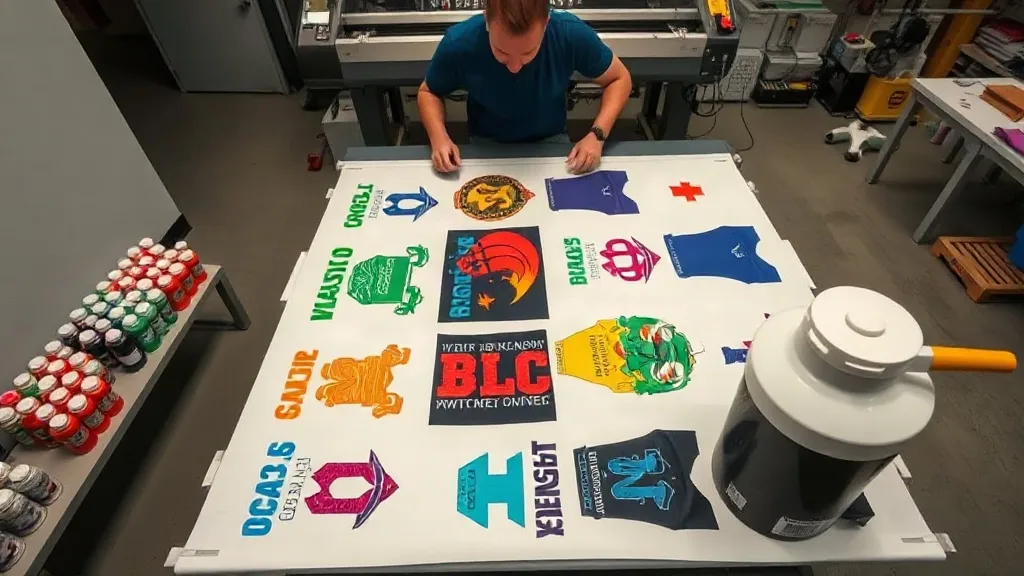
If you're in the custom apparel business, you know that time is money. Every minute spent on production is a minute not spent on growing your brand. That's where the DTF Gangsheet comes in—a game-changer for print shops and hobbyists alike. By arranging multiple designs on a single sheet, you can drastically cut down on setup time, reduce waste, and increase throughput. In this guide, we'll walk you through everything you need to know about DTF gangsheets, from what they are to how to use them effectively.
What is a DTF Gangsheet?
A DTF (Direct to Film) gangsheet is a single sheet of transfer film that contains multiple designs printed together. Instead of printing each design individually, you gang them up—hence the name—to maximize the use of the film and minimize waste. This method is particularly useful for small to medium-sized orders where you have a variety of designs but don't want to switch out film rolls constantly.
Why Use a DTF Gangsheet?
There are several compelling reasons to incorporate gangsheets into your workflow:
- Time Efficiency: Printing multiple designs at once reduces the number of print jobs and setups, saving hours of production time.
- Cost Savings: By using the film more efficiently, you cut down on material waste, which directly lowers your cost per print.
- Consistency: When you print all designs in one go, you ensure consistent color and quality across the entire batch.
- Scalability: Easily scale up production for events or bulk orders without proportionally increasing labor.
How to Create a DTF Gangsheet
Creating a gangsheet is straightforward if you follow these steps:
- Design Collection: Gather all the designs you want to print. Ensure they are high resolution (300 DPI recommended) and properly sized.
- Layout: Use design software (like Photoshop, Illustrator, or dedicated RIP software) to arrange the designs on a canvas that matches your film size. Leave a small gap between designs to avoid color bleeding.
- Nesting: Optimize the layout to minimize empty space. Rotate designs if necessary to fit more onto the sheet.
- Export: Save the file in a format compatible with your printer's RIP software, typically PDF or TIFF.
Choosing the Right Film and Powder
The quality of your gangsheet depends heavily on the materials you use. Not all DTF films are created equal. Look for films that offer good ink absorption and easy release. Similarly, the adhesive powder must be compatible with your film and provide a strong bond. Experiment with different brands to find the combination that works best for your printer and fabrics.
Printing and Curing Your Gangsheet
Once your file is ready, it's time to print. Load your DTF printer with the appropriate film and ensure the ink levels are sufficient. After printing, you'll need to apply adhesive powder while the ink is still wet. Shake the powder evenly over the design, then shake off the excess. Cure the powder using a heat press or a dedicated curing oven. The curing temperature and time will depend on your powder and film specifications, so always follow the manufacturer's guidelines.
Pressing the Transfers
When you're ready to apply the transfers to garments, preheat your heat press to the recommended temperature (usually around 300°F to 320°F). Place the transfer on the fabric and press with medium pressure for 10-15 seconds. Peel the film while it's still warm (or cold, depending on the film type) for a smooth finish. Always do a test press on a scrap piece of fabric to dial in your settings.
Common Mistakes to Avoid
Even experienced printers can run into issues. Here are some common pitfalls and how to avoid them:
- Overlapping Designs: Leave enough space between designs to prevent colors from bleeding during printing.
- Insufficient Powder: Too little powder results in poor adhesion; too much creates a rough texture. Aim for an even, thin layer.
- Incorrect Curing: Under-curing leads to wash-off; over-curing can cause the transfer to crack. Use a temperature gun to verify.
- Ignoring Fabric Types: Different fabrics require different pressing parameters. Always test.
Maximizing Efficiency with Gangsheets
To truly reap the benefits of gangsheets, consider batching similar jobs together. For example, if you have multiple orders for the same event, combine them into one large gangsheet. Also, keep a library of your most popular designs pre-arranged on a gangsheet template to quickly print when orders come in. Investing in a larger format printer can also allow you to create bigger gangsheets, further reducing waste.
Frequently Asked Questions
How many designs can fit on a DTF gangsheet?
The number depends on the size of the designs and the width of your film. A 13-inch wide film can typically fit 4-6 small designs, while a 24-inch wide film can accommodate many more. Use nesting software to maximize the count.
Can I use a DTF gangsheet on dark fabrics?
Absolutely. DTF transfers include a white ink layer that makes them opaque on dark colors. Just ensure your printer has white ink capability and that the white layer is properly maintained.
What is the shelf life of a printed DTF gangsheet?
When stored in a cool, dry place away from direct sunlight, printed transfers can last up to 6 months. For best results, use them within 3 months.
Do I need a special printer for DTF gangsheets?
Yes, you need a DTF printer that uses DTF ink and film. Converted inkjet printers can work, but dedicated DTF printers offer better reliability and color consistency.
How do I price products made with DTF gangsheets?
Calculate your cost per print by dividing the total cost of the gangsheet (film, ink, powder, labor) by the number of designs. Then add your desired profit margin. Gangsheets typically lower your cost per print, allowing for competitive pricing.
Mastering the DTF gangsheet is a surefire way to elevate your custom apparel business. With practice, you'll streamline your production and impress your customers with fast turnaround times. Happy printing!